
No matter what consoles you own there is an indescribably large pool of iconic and wonderful games out there for you to play. Back in the day, games were usually only released with a handful of language options. As I live in Europe, this was essential English, French, Spanish or German, but even for other regions we weren’t as spoiled for choice as we are now. Even with that being the case, this doesn’t guarantee that your favourite titles will be available in your target language. Not only that but even some titles that logically should be in said target language might still be unavailable without unconventional means! I’ve found my fair share of games produced by Japanese companies, about Japanese characters, set in Japan, and yet the only language options is English. I hope that as time moves on all games will be internationalised but for the mean time it’s nice to have a helping hand to navigate the jungle of gaming content and get to the treasure that is usable and enjoyable content.

Had I known what path I was going to go down in my later years I would have paid more attention to the games I used to own and held on to those I could have used today. We should however count ourselves lucky. Gone are the days where we have to scour the back of games cases for information or buy them only to regret it later. Nowadays most modern consoles have the option of digital downloads, including reams of stats, imagery and reviews from other users. For the likes of Playstation, Xbox, Switch and even mobile you have a seemingly endless roll of apps and games that can be investigated at your leisure, and some, but not all, even feature the all important language information.
Nintendo Switch
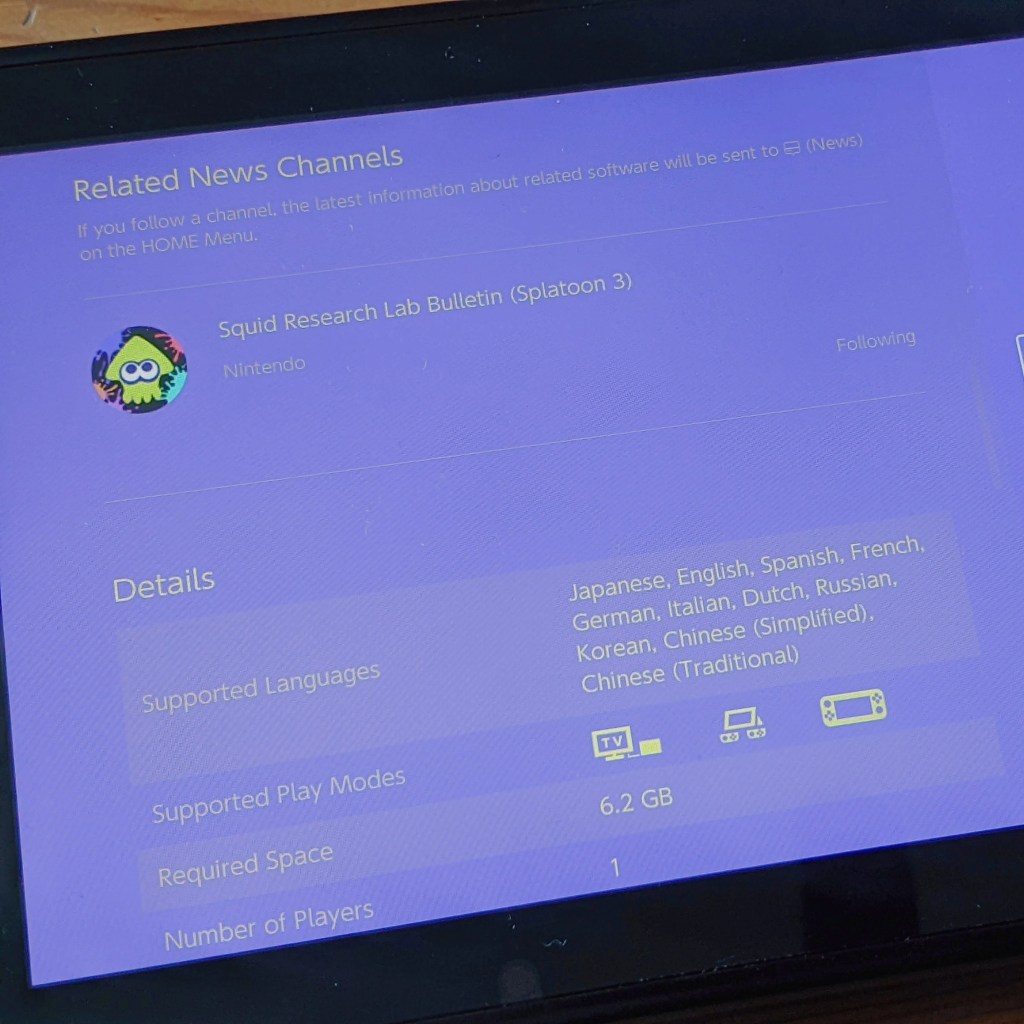
The Nintendo E-store (while still dangerously expensive) comes with an abundance of Japanese games. Many of the Nintendo big hitters like Zelda, Mario and Splatoon are arguably more popular in Japan and so you’ll find a large selection to choose from. Simply click into a game in store and scroll down to the shown details like you see here.
Playstation 4 and 5
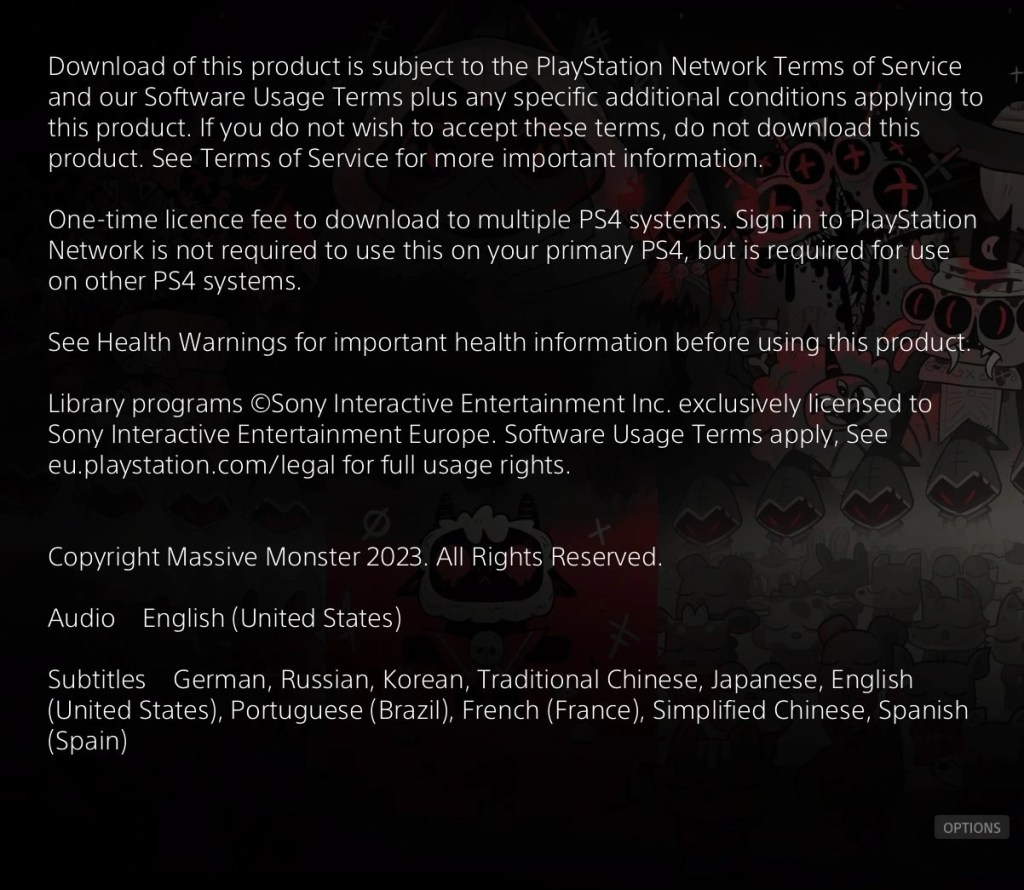
In the Playstation stores each game comes with a lengthy description of the game itself and some health and legal jargon but you’ll find by scrolling right to the bottom you can see what languages the game is available in. Playstation even state which parts of the game are in which languages as you may find that only the text is changeable and the audio remains in the original language.
Xbox One and One S
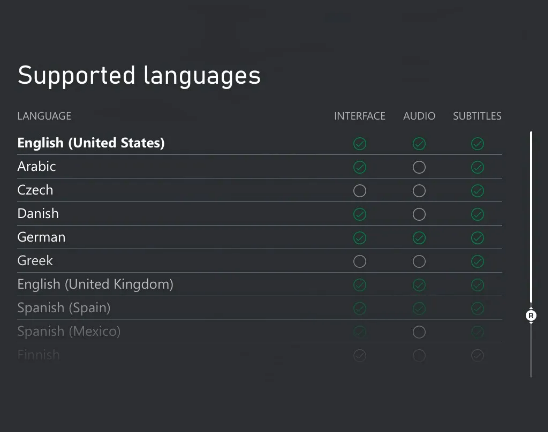
Visible language options was a comparably newer feature in Xbox than in its competitors, introduced in 2021, however it features an even wider specification in its language availability. Do note that if you use Game Pass you’ll need to visit the store page itself to see these options.
Steam
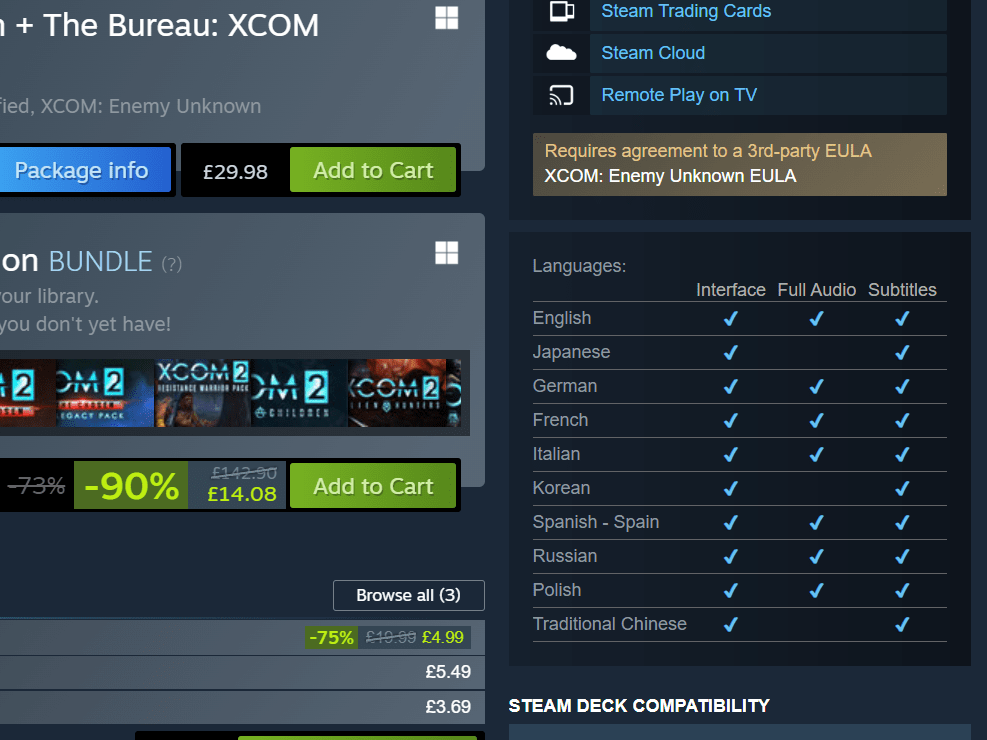
Not to give the PC gamers more of an ego boost (I kid) but, Steam takes the cake in this field. It does what the above consoles do and blows them out of the water. From the library tab you can scroll through all of your accrued games and assess what features are in which languages in much the same way as Xbox’s interface, however…!
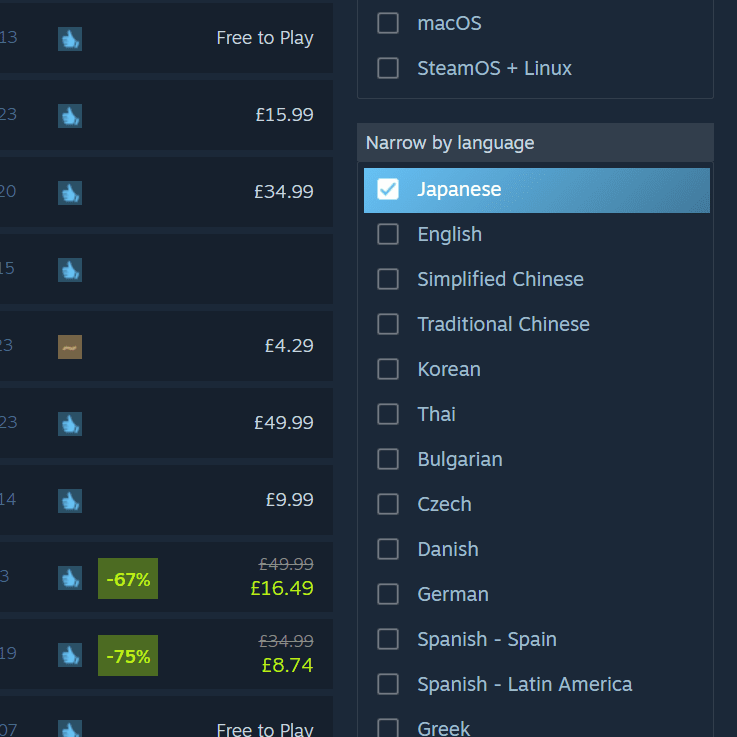
… The creator of the Steam store must have had a direct line to my deepest hopes and dreams because it gives you the option to search for games based on their available language options! No more will you need to go in and out of each games purchase page, you can even further filter games on price, genre and more at the same time while still searching within your target language.
Mobile
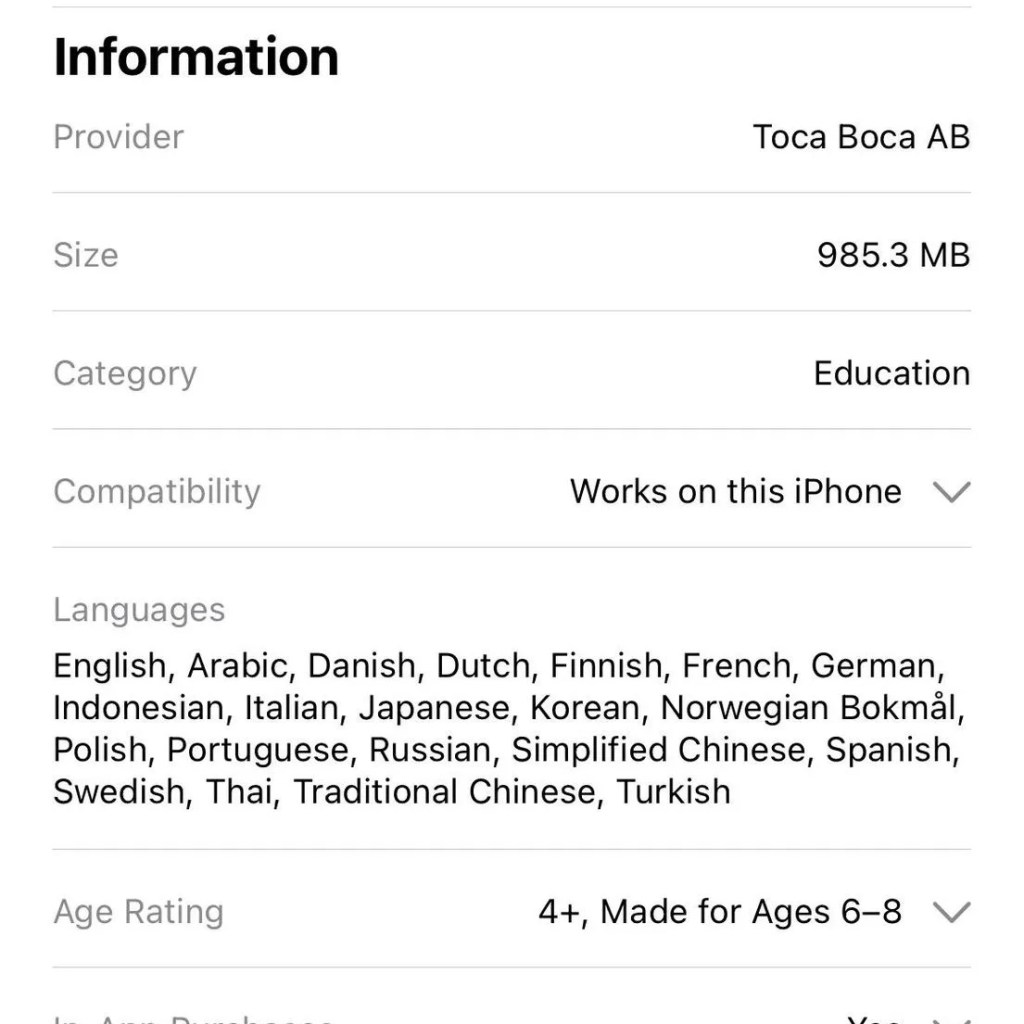
Our mobile app stores aren’t quite as well equipped to navigate. While the Apple’s app store shows a breakdown of language availability the android store doesn’t seem to show it at all. This isn’t too much of a downside in my eyes however as a large majority of games you might consider are free anyway so can be downloaded on a whim. I hope to produce a large enough library here that that can act as a directory instead!
Older consoles don’t have the same level of luxury as their newer counterparts so if you want to play foreign games on them you’ll need to confirm their region accessibility and get yourself some hard copies of the games. It’s also important to note that if you’ve found a game on modern consoles stores and it doesn’t show in your target language that this isn’t the end of your journey. Either by the use of friends in said foreign country, ventures on to the black market or magic, you too can get your hands on foreign hard copies of games. eBay is also applicable and is currently the best resource I’ve found so far. Simply by typing in the game or console you’re interested in and adding “Japanese import”, “Japanese game” or “日本語” you can often find what you’re after, just beware of hefty delivery prices.
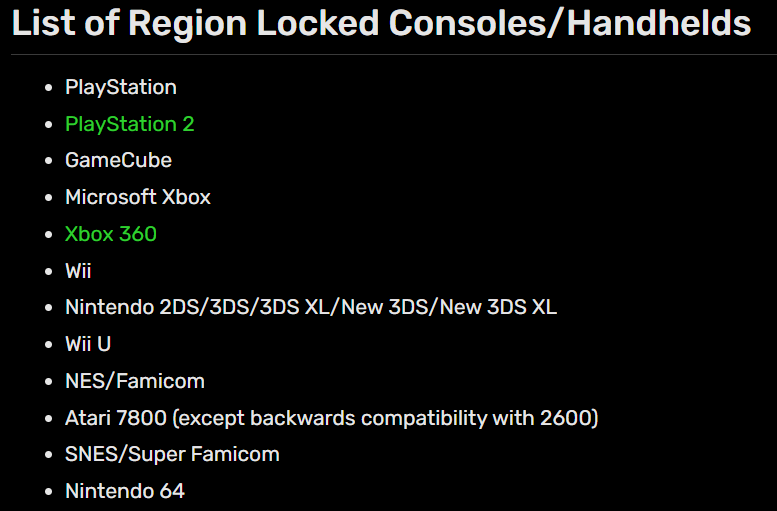
It’s also important to note whether your console can play the game you’re buying. Region locking is where a console won’t allow games produced from outside that region to be played on them, for instance, if you buy a Japanese copy of twilight Princess for Wii and you have a European Wii then you won’t be able to play it, resulting in tears and wasted money. Below is a list of region locked consoles. All others, including most modern consoles, should allow you to play any regions games on them.
Now, some of this may have been common knowledge to many of you but as long as this helped one person find their favourite game in their favourite language then I’ve done my good deed for the day. I’d be very intrigued to see what gems you find on your travels so please do let us know which games you’ve found or if you have any questions. I’ll be more than happy to help!
 Games & Kanji
One thought on “Checking language options”